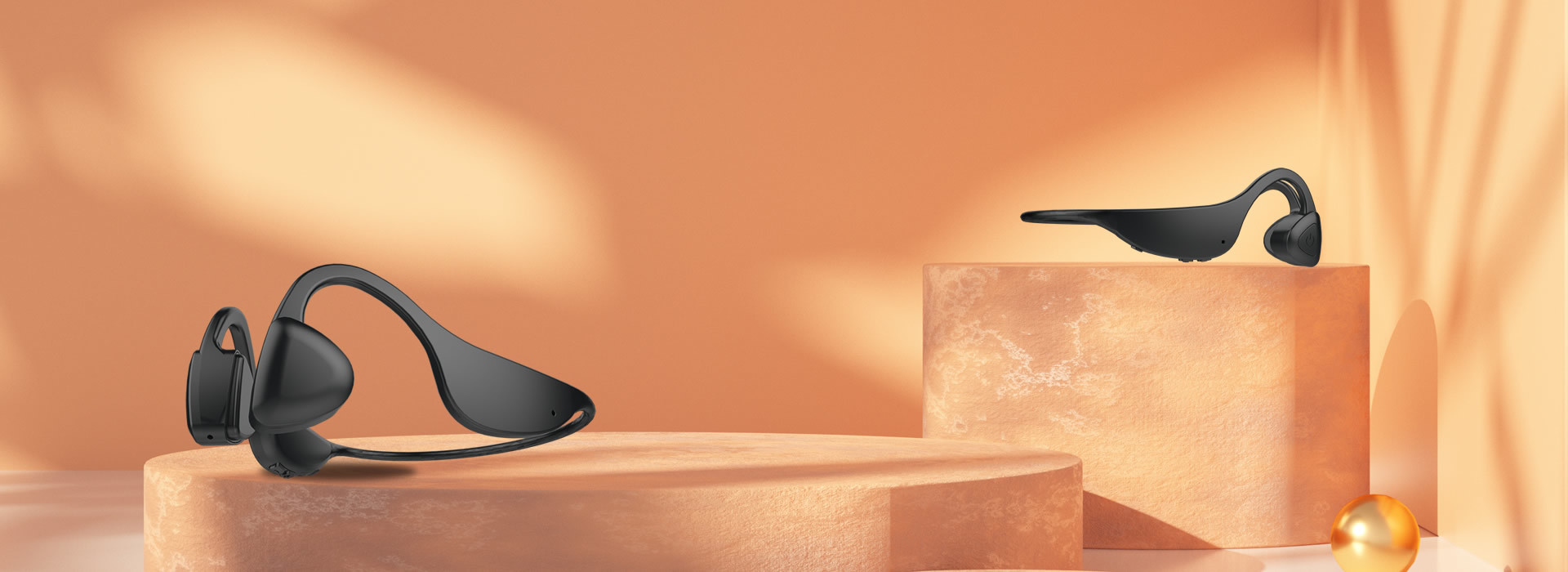

Bone conduction hearing aid
Retail Price
Market price
The product is suitable for patients with conductive hearing loss aged 1 and above, patients with mixed hearing loss, as well as patients aged 6 and above with sensorineural hearing loss and hearing impairment for hearing compensation.
Weight
kg
Stock surplus
隐藏域元素占位
- Product Introduction
- Product Parameters
- User Manual
- Product video
-
- Commodity name: Bone conduction hearing aid
No surgery / Non-intrusive / Easy to wear / Aesthetically pleasing and fashionable<br/>The product is suitable for patients with conductive hearing loss aged 1 and above, patients with mixed hearing loss, as well as patients aged 6 and above with sensorineural hearing loss and hearing impairment for hearing compensation.

-
Basic Parameters
Battery Specifications Built-in rechargeable polymer potassium battery, voltage 4.0V 260mA Charging Parameters Charging current 130mA;
Charging voltage 5VDC (must use a charger that meets the requirements of GB9706.1-2020 to charge this hearing aid).Normal Operating Voltage and Current Normal operating voltage range for bone conduction hearing aids.
3.2-42VDC, maximum operating current less than 70mA.Bluetooth Version V5.0 Basic Parameters OFL90: Maximum output value 115dB < OFL90 < 150dB
High frequency average value at SPL90: greater than 95dB
Sound-pressure level sensitivity AMSL: greater than 25dB
Maximum gain: greater than 25dB
Total harmonic distortion: less than 10%
Equivalent input noise: less than 32dB
Overall frequency processing range: 200-8000HZ
Volume control range: greater than 20dB
Maximum gain at sound pressure level of 60dB is 244dBWearing Method
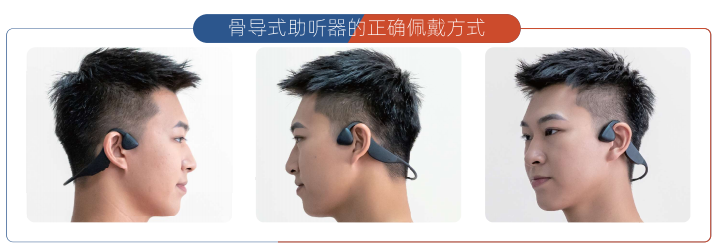
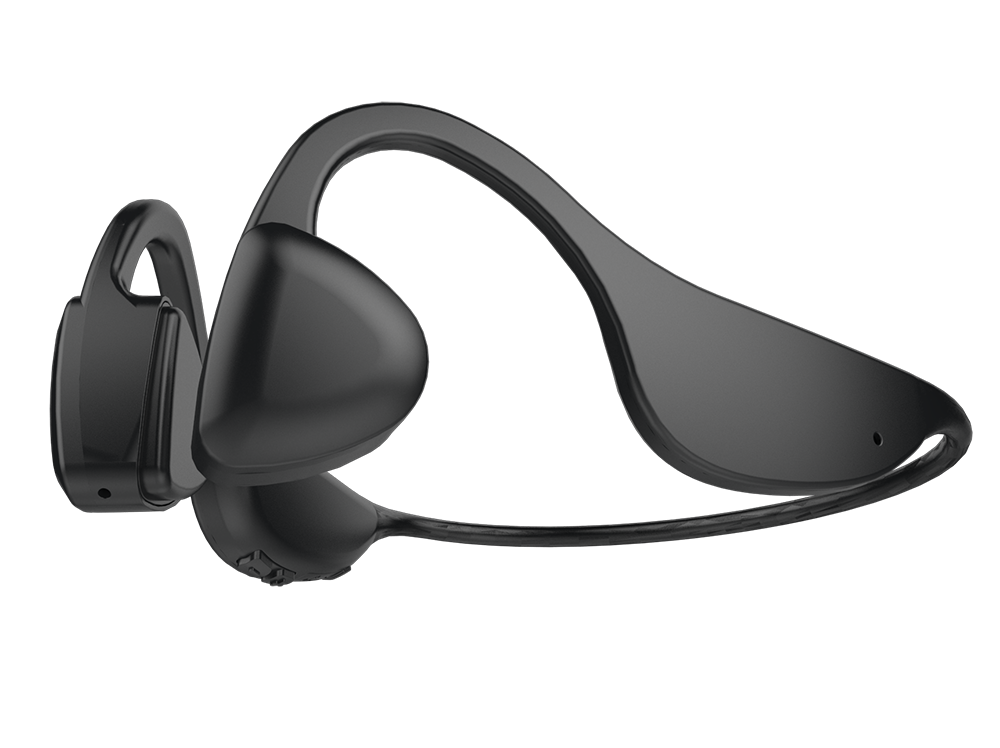
Bone conduction hearing aids do not need to be inserted or cover the ears when worn, but rather the vibration unit (commonly known as: vibrating device or speaker) is placed against the mastoid process in front of the ear. When worn correctly, it is very comfortable and does not cause any burden on the ears and neck.
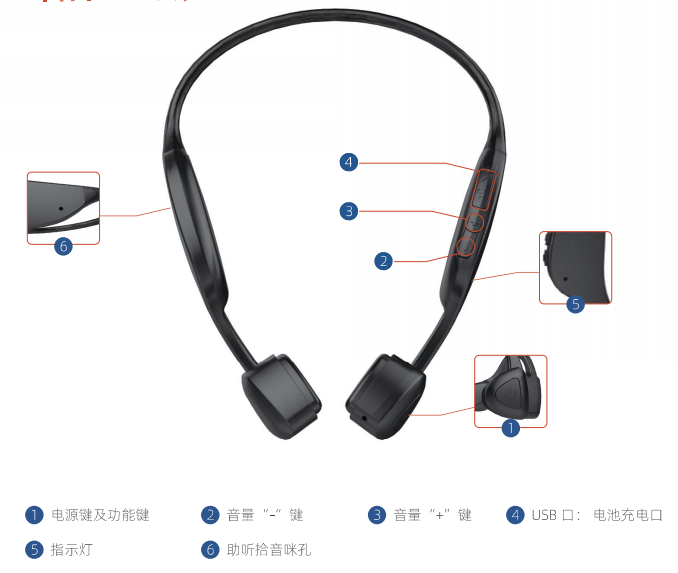
Component Position Description
-
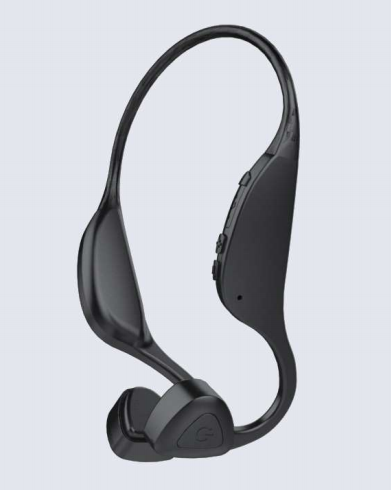
Bone conduction hearing aid components and usage instructions
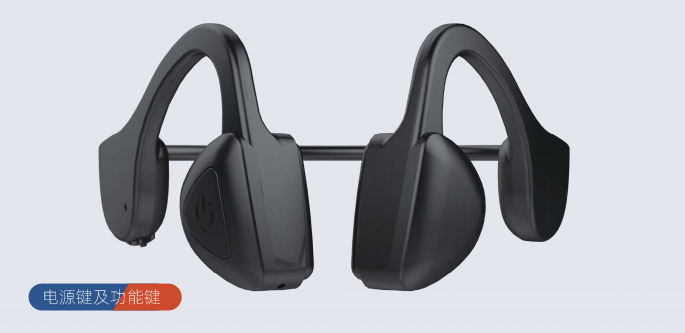
Power button and function keys
● Power on: Press and hold the power button for 2 seconds, the power turns on, and the hearing aid automatically enters hearing mode. Wear the hearing aid to use the hearing function.
● Connecting the hearing aid to a mobile phone via Bluetooth: In the powered-on state of the hearing aid, press and hold the power button for 1 second, the indicator light will flash alternately in green and blue. At this time, find VS-ZT01-xX on your phone and confirm pairing. When you hear a prompt sound, the Bluetooth connection is complete. Once connected to the phone, you can make and receive calls through the phone.
● When the hearing aid is connected to Bluetooth and in hearing mode, if a call comes in, you can press the power button to answer or hang up the call.
● When the hearing aid is connected to Bluetooth and in music mode, if a call comes in, you can press the power button to answer or hang up the call.
● Power off: In the powered-on state, press and hold the power button for 4 seconds, the hearing aid will turn off, and the indicator light will go out.
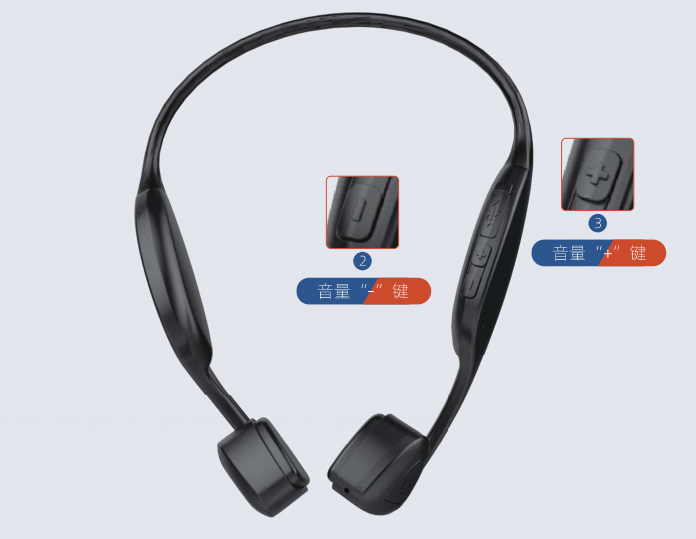
Volume " - " key
● In hearing mode, press the "_" key to decrease the volume heard by the ear. Users can choose a suitable volume level for optimal hearing effect.
● While answering a call or playing music, pressing the "_" key will decrease the volume heard by the ear. Users can choose a suitable volume level to meet their comfort requirements.
Volume " + " key
● In hearing mode, press the "+" key to increase the volume heard by the ear. Users can choose a suitable volume level for optimal hearing effect.
● While answering a call or playing music, pressing the "+" key will increase the volume heard by the ear. Users can choose a suitable volume level to meet their comfort requirements.
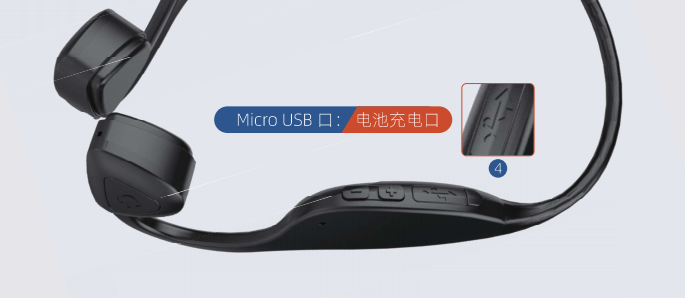
Micro USB port: Battery charging port
● Micro USB (battery charging port), built-in battery charging input port of the hearing aid. When battery voltage is too low, the hearing aid will emit a regular interval "beep" sound. At this time, it is necessary to charge the hearing aid, which takes about 2 hours to fully charge.
● When fully charged, it can work continuously for about 10 hours at half volume.
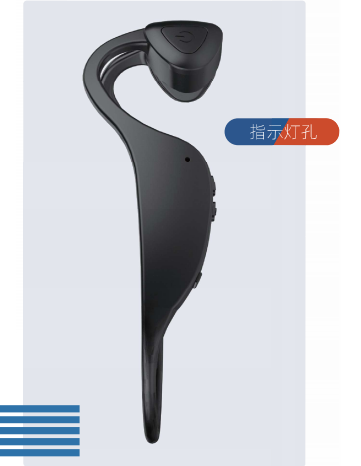
Indicator light
● When the hearing aid is turned on, the indicator light will flash blue at regular intervals (about every 5 seconds).
● When charging in powered-off state, the green light flashes during charging. The light goes out when fully charged.
● When Bluetooth is searching, the indicator light flashes alternately in green and blue.
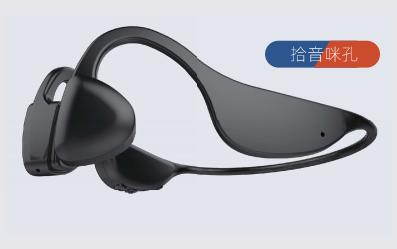
Hearing pickup microphone hole
● Pickup microphone hole: When in hearing mode, there is a dedicated channel for picking up external sounds through an internal microphone.
● The pickup microphone hole must not be blocked; otherwise, it will affect the normal operation of the hearing aid and may even damage it.
● The pickup microphone hole must not be exposed to rain or water; otherwise, it may damage the hearing aid.
Switching between bone conduction hearing and Bluetooth of hearing aids
● After connecting to a mobile phone via Bluetooth, the earphones will automatically switch between hearing mode and Bluetooth mode.
● If you do not use your phone for an extended period, please turn off Bluetooth on your phone. This reduces power consumption between the hearing aid and phone, extending both usage time and battery life.
-
More products
Customer Service Hotline
1612, Huafeng International Business Building, 4018 Bao'an Avenue, Yantian Community, Xixiang Street, Bao'an District, Shenzhen
Copyright©All rights reserved of Shenzhen Shengtong Technology Co., Ltd.