
User Guide
Bone conduction hearing aid components and usage instructions
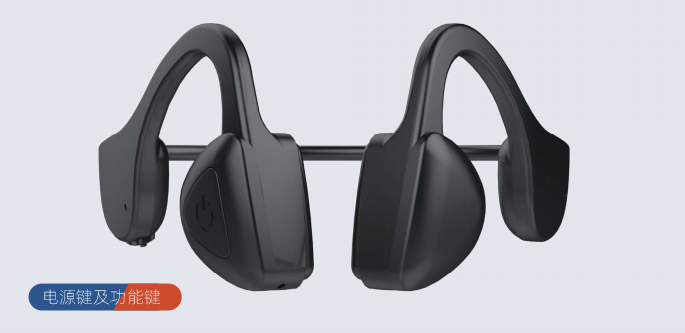
Power button and function keys
● Power on: Press and hold the power button for 2 seconds, the power turns on, and the hearing aid automatically enters hearing mode. Wear the hearing aid to use the hearing function.
● Connecting the hearing aid to a mobile phone via Bluetooth: With the hearing aid powered on, press and hold the power button for 1 second, the indicator light will flash alternately in green and blue. At this time, find VS-ZT01-xX on your phone and confirm pairing. When you hear a prompt sound, the Bluetooth connection is complete. Once connected to the phone, you can make and receive calls through the phone.
● When connected to Bluetooth in hearing mode, if a call comes in, you can press the power button to answer or hang up the call.
● When connected to Bluetooth in music mode, if a call comes in, you can press the power button to answer or hang up the call.
● Power off: In powered-on state, press and hold the power switch for 4 seconds, the hearing aid will turn off, and the indicator light will go out.
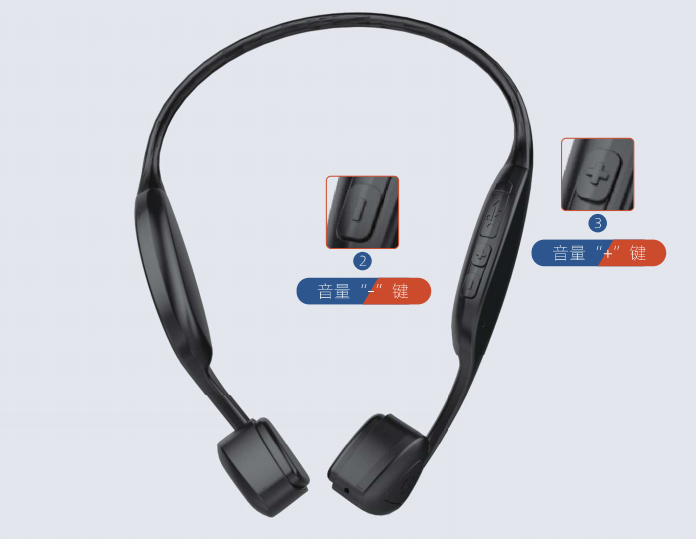
Volume " - " key
● In hearing mode, press the "_" key to decrease the volume heard by the ear. Users can choose a suitable volume level for optimal hearing effect.
● While answering calls or playing music, pressing the "_" key will decrease the volume heard by the ear. Users can choose a suitable volume level to meet their comfort requirements.
Volume " + " key
● In hearing mode, press the "+" key to increase the volume heard by the ear. Users can choose a suitable volume level for optimal hearing effect.
● While answering calls or playing music, pressing the "+" key will increase the volume heard by the ear. Users can choose a suitable volume level to meet their comfort requirements.
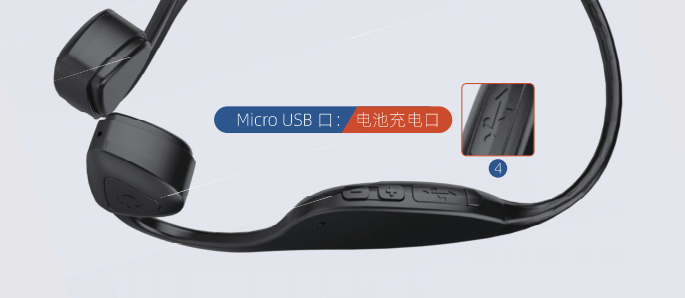
Micro USB port: Battery charging port
● Micro USB (battery charging port), built-in battery charging input port of the hearing aid. When battery voltage is too low, the hearing aid will emit a regular interval "beep" sound. At this time, it is necessary to charge the hearing aid, which takes about 2 hours to fully charge.
● When fully charged, it can work continuously for about 10 hours at half volume.
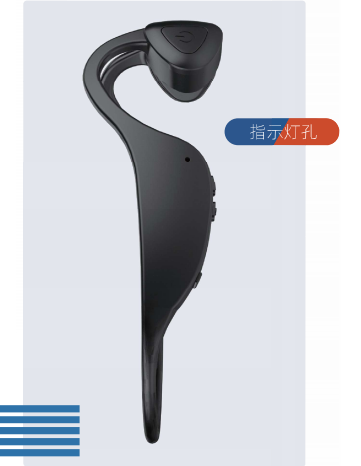
Indicator light
● When the hearing aid is turned on, the indicator light will flash blue at regular intervals (about every 5 seconds).
● When charging in powered-off state, the green light flashes during charging. The light goes out when fully charged.
● When Bluetooth is searching, the indicator light flashes alternately in green and blue.
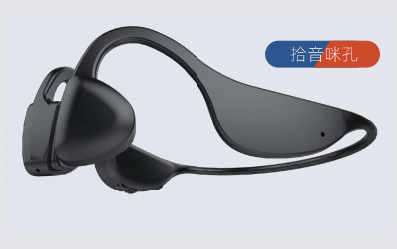
Hearing pickup microphone hole
● Pickup microphone hole: When the hearing aid is in hearing mode, it has a dedicated channel for picking up external sounds.
● The pickup microphone hole must not be blocked; otherwise, it will affect the normal operation of the hearing aid and may even damage it.
● The pickup microphone hole must not be exposed to rain or water; otherwise, it may damage the hearing aid.
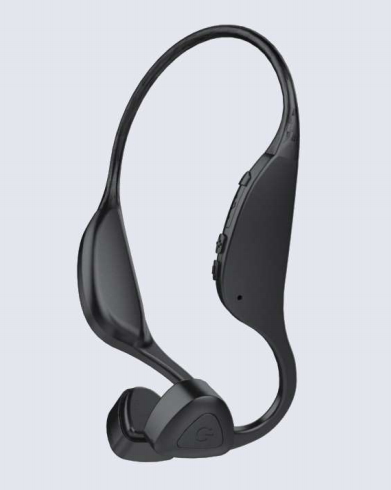
Switching between bone conduction hearing and Bluetooth of hearing aids
● After connecting to a mobile phone via Bluetooth, the earphones will automatically switch between hearing mode and Bluetooth mode.
● If you do not use your phone for an extended period, please turn off Bluetooth on your phone. This reduces power consumption between the hearing aid and phone, extending both usage time and battery life.
Customer Service Hotline
1612, Huafeng International Business Building, 4018 Bao'an Avenue, Yantian Community, Xixiang Street, Bao'an District, Shenzhen
Copyright©All rights reserved of Shenzhen Shengtong Technology Co., Ltd.